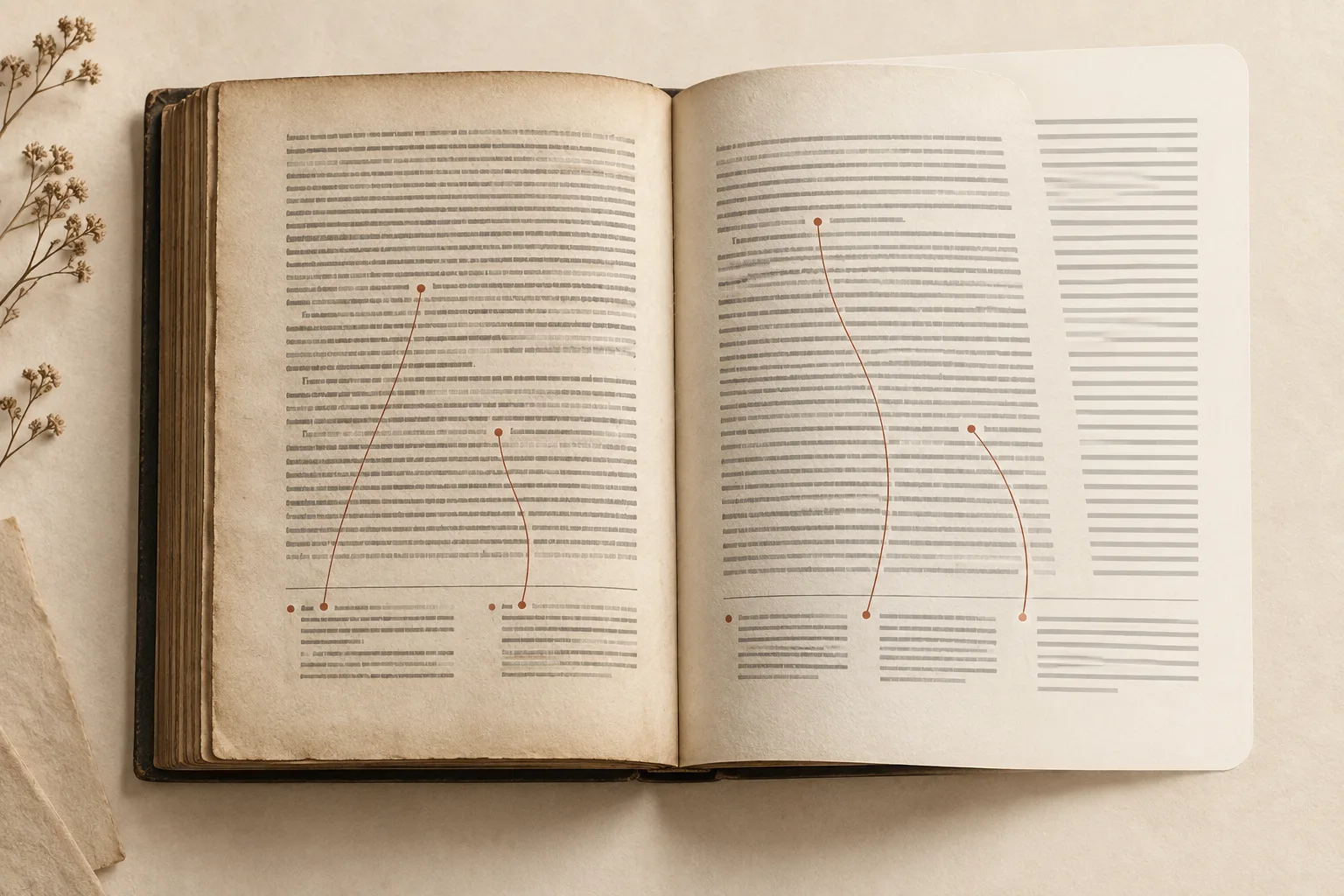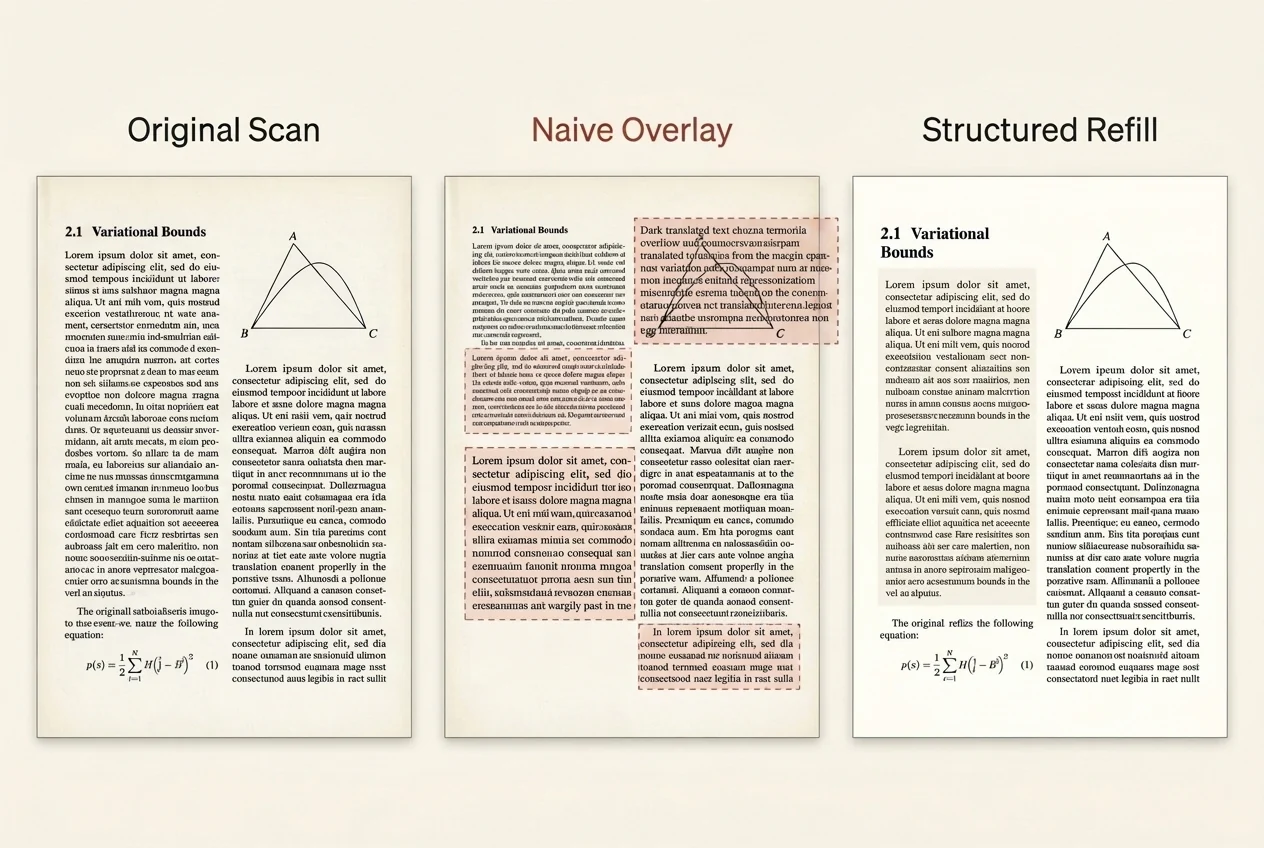
Anyone who has translated a foreign research paper, technical manual, or scanned textbook has seen the same frustrating failure: the translation reads fine on its own, yet the exported PDF looks broken. Text spills across diagrams, neighboring paragraphs jump wildly in font size, section headings shrink smaller than body copy, or original scanned text ghosts underneath the translation.
The root cause is that PDF was never designed as a reflowable document format. It paints glyphs and lines at fixed page coordinates. Once you translate into another language, text length, line height, and line-breaking behavior all change. Simply overwriting text inside each isolated OCR bounding box almost always breaks around figures, multi-column layouts, and expanded translations.
Writing translations cleanly back onto scanned PDF pages is less about calling a translation model and more about coordinating five stages: visual base separation, local erasure, two-stage cross-page layout, inline formula protection, and safety fallback.
1. How a Translated PDF Preserves Figures While Keeping Only the Translation Selectable
Crude PDF translators flatten the entire page into a bitmap, paint white boxes over text, and stamp translated strings on top. Vector figures turn blurry, interactive annotations disappear, or hidden source text remains underneath so copy-and-paste mixes two languages together.
In the open-source PDF Craft writeback pipeline, an output page is assembled from four independent layers:
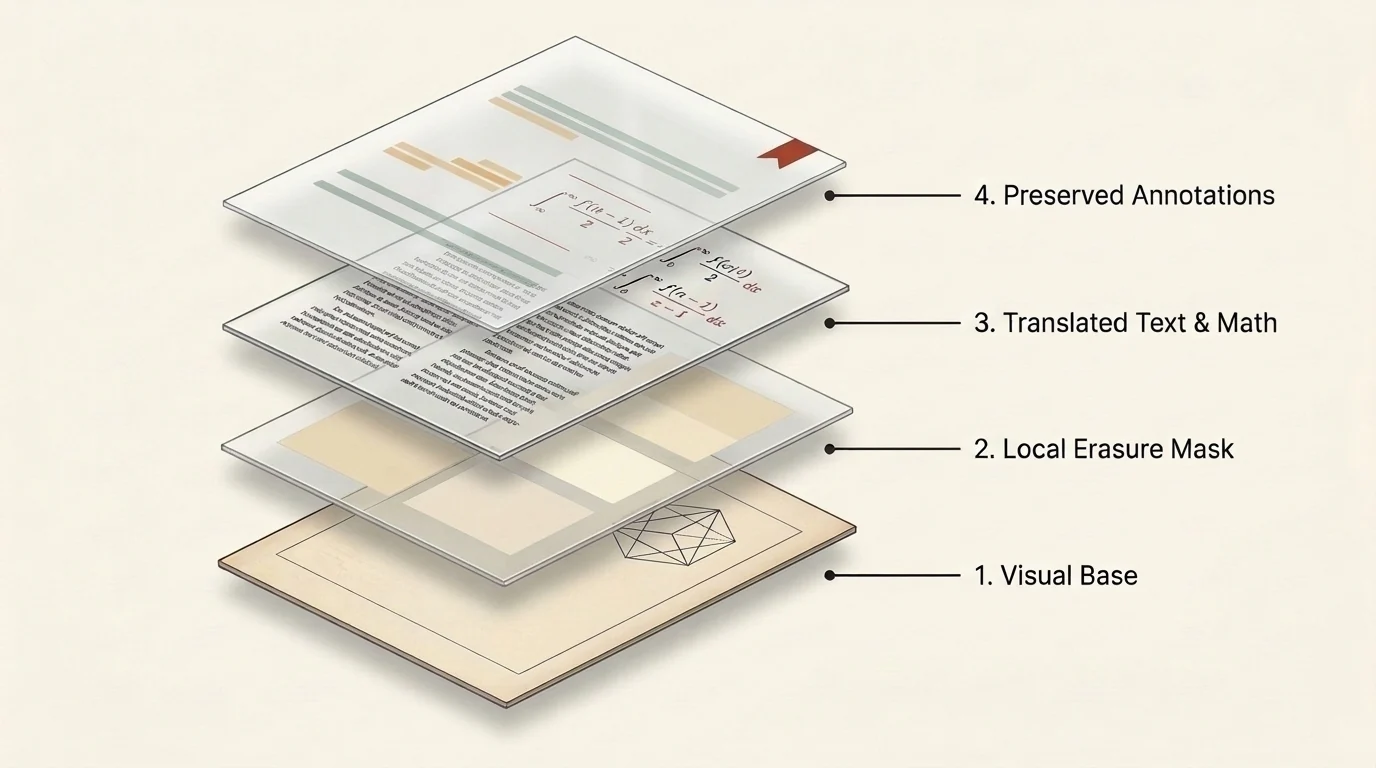
- Font-free visual base: Ghostscript first compiles the source page's non-annotation content into a visual base without source text fonts. Scanned figures, line art, and page artwork stay intact, while the original text and any hidden OCR text layer are stripped so they can no longer be selected or searched.
- Local background erasure mask: Erasure is decoupled from text layout. Each OCR text bounding box is slightly expanded with padding, sampled on the unmodified source page image to compute a frequency-weighted median RGB background color, and covered with an independent color-matched rectangle.
- Translated text and vector math layer: Qt
QTextLayoutshapes and draws the new translated text using real font metrics, making the translation the sole selectable and searchable text layer on the page. - Re-mounted original annotations: The source PDF's
/Annotsarray (hyperlinks, highlights, comments, form fields) is mounted back on top of the translated layer so interactive elements keep working.
Know the boundary upfront: Local erasure uses solid color-matched rectangles rather than generative image inpainting. On evenly toned off-white or aged book paper it blends cleanly, but where source text sits directly over textured grain, gradients, or dense table rulings, the erased region will look like a flat solid patch.
2. Why Box-by-Box Replacement Breaks: The Two-Stage Layout Approach
Even with a clean background, refilling translated text runs into three layout traps:
- One paragraph split across multiple boxes: In a two-column paper, a single paragraph often continues from the bottom of the left column to the top of the right column, or across a page break, sometimes bridged around an inline figure. Sizing each box independently leaves half a paragraph large and the other half cramped.
- Uneven font sizes on the same page: A short translated paragraph expands to 13 pt while the longer paragraph right beneath it gets squeezed to 8 pt, giving the page a patchwork look.
- Headings crushed by tight OCR boxes: OCR boxes around headings often hug glyph height tightly; fitting strictly inside that box height can shrink a translated heading smaller than the body text below it.
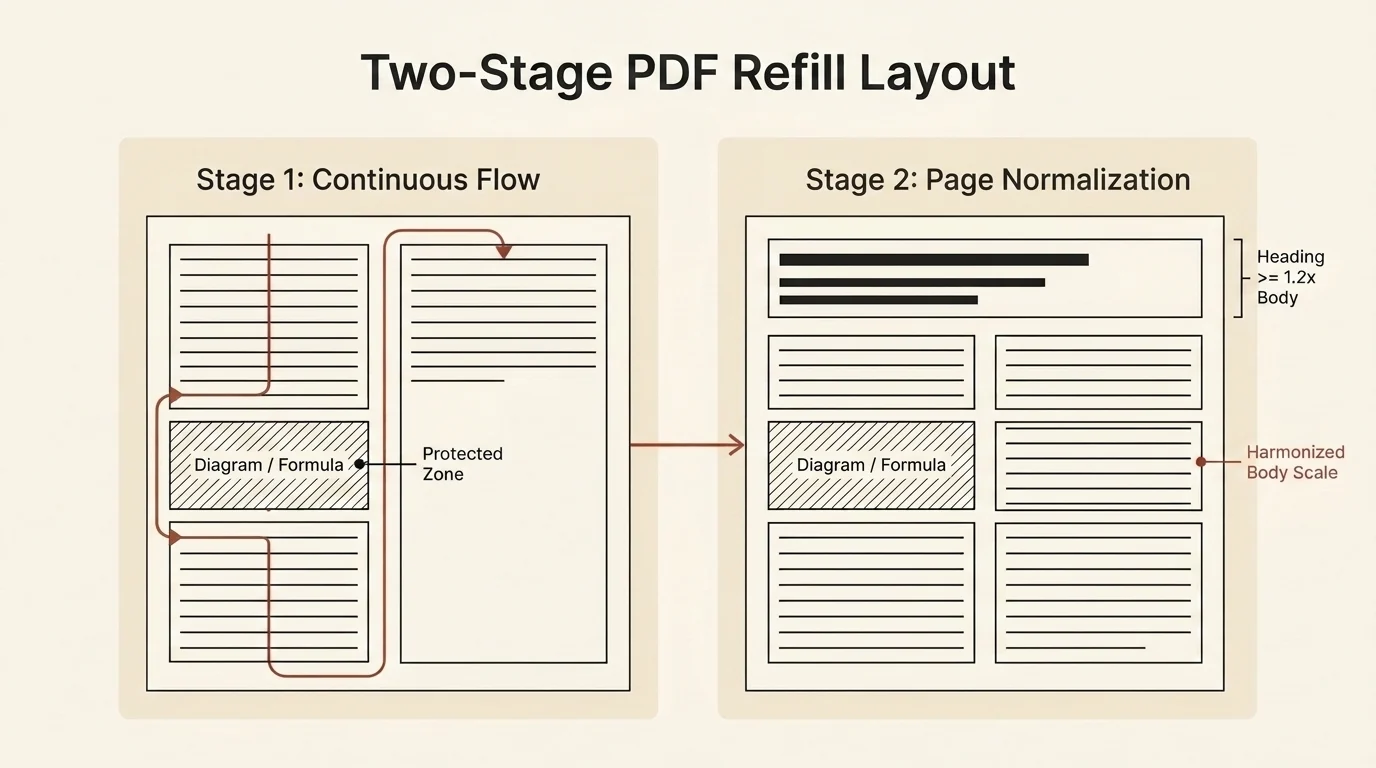
PDF Craft separates layout into two distinct streaming stages:
Stage 1: Continuous Paragraph Flow
Instead of treating each bounding box in isolation, Stage 1 lays out an entire logical paragraph (TextFlowItem) as one continuous stream, even when its source boxes span columns, cross page breaks, or wrap past an inline figure or table:
- The entire paragraph fits at one unified initial font size using real Qt shaping, line breaking, and bidirectional text rules rather than rough character-count heuristics.
- When a line no longer fits the current box, the whole line flows cleanly into the next box instead of overflowing locally.
- During normal font-size fitting, display formulas and standalone figures act as protected zones that body text routes around. The only exception is the minimum-size force-write fallback described below, which may extend past ordinary box and obstacle boundaries rather than silently dropping text.
Stage 2: Page-Level Normalization and Heading Rules
Once every cross-page paragraph touching a page closes Stage 1, that page enters Stage 2:
- Harmonized body scale: For each text level on the page, the engine computes a character-weighted average font size and re-measures boxes toward that scale without breaking the frozen line counts from Stage 1. Isolated single-line boxes are excluded from the average by default so narrow OCR boxes do not skew the whole page.
- Heading minimum ratio: After body text settles, headings take the page's body scale multiplied by a minimum ratio (default
1.2x) as a floor so section titles stay visibly larger than body copy. - Fallback for extreme expansion and narrow headings:
- If a heading at its minimum font size still exceeds its box width, it anchors at the left vertical midpoint of the source box and extends naturally rightward on a single line rather than crushing into unreadable tiny text or failing the job.
- If an unusually long translated paragraph still cannot fit its source boxes at the minimum allowed font size, the engine writes the complete translation starting from the first source box at minimum size rather than silently dropping text.
3. Protecting Inline Formulas Without Blinding the Translator
Academic papers and STEM textbooks pose a dilemma: strip formulas out before translation and the model loses context and mistranslates surrounding prose; pass raw LaTeX straight through and the model often rewrites symbols or corrupts notation.
PDF Craft separates semantic context from symbol restoration:
- Formulas stay visible during translation: Inline equations remain dedicated nodes in the chapter XML, so the translation model understands what the math means and produces natural surrounding sentences.
- Validation first, deterministic restoration after: Structure filling validates tags, node IDs, and full-text alignment against the translated draft without looping over notation differences. Once validation passes, a deterministic post-pass restores the exact original source formula into its slot.
- Vector drawing with readable fallback: During PDF writeback, inline formulas are treated as indivisible spans. When Matplotlib and local TeX are available, they render as vector PDF math with
/ActualTextmetadata; otherwise, or if a single equation fails to render, they fall back gracefully to readable plain text without breaking the page.
Note that PDF writeback currently replaces body prose, footnotes, and page furniture (such as headers and footers). Text baked inside bitmap illustrations or anchored table cells without field-level coordinates is not written back onto the PDF.
4. Safety Guard Before Erasing Untrusted OCR Boxes
No layout engine can survive a badly skewed OCR bounding box that accidentally swallows an adjacent chart or neighboring column. Erasing blindly would wipe out the figure.
Before drawing any erasure mask, the writeback consumer checks source geometry on disk to see whether a target erasure box would heavily overlap unrelated text or visual assets. When a conflict is detected, the pipeline requests a decision from the configured error_policy: the default strict policy rejects recovery and aborts the job. Only when an accepting recovery policy (such as error_policy=True) is enabled does the pipeline skip replacement on the affected page closure and copy the original PDF page intact; if all primary writeback targets degrade, the task still fails at the end rather than silently returning an untranslated copy. Leaving one problematic page untranslated for manual review is far safer than erasing a diagram and shipping a corrupted page.
5. Practical Decision: When to Choose Translated PDF vs. EPUB or Markdown
Understanding how writeback works makes it easier to choose the right output format instead of forcing every scanned book into a fixed-layout PDF:
| Document Type and Reading Context | Recommended Output | Why |
|---|---|---|
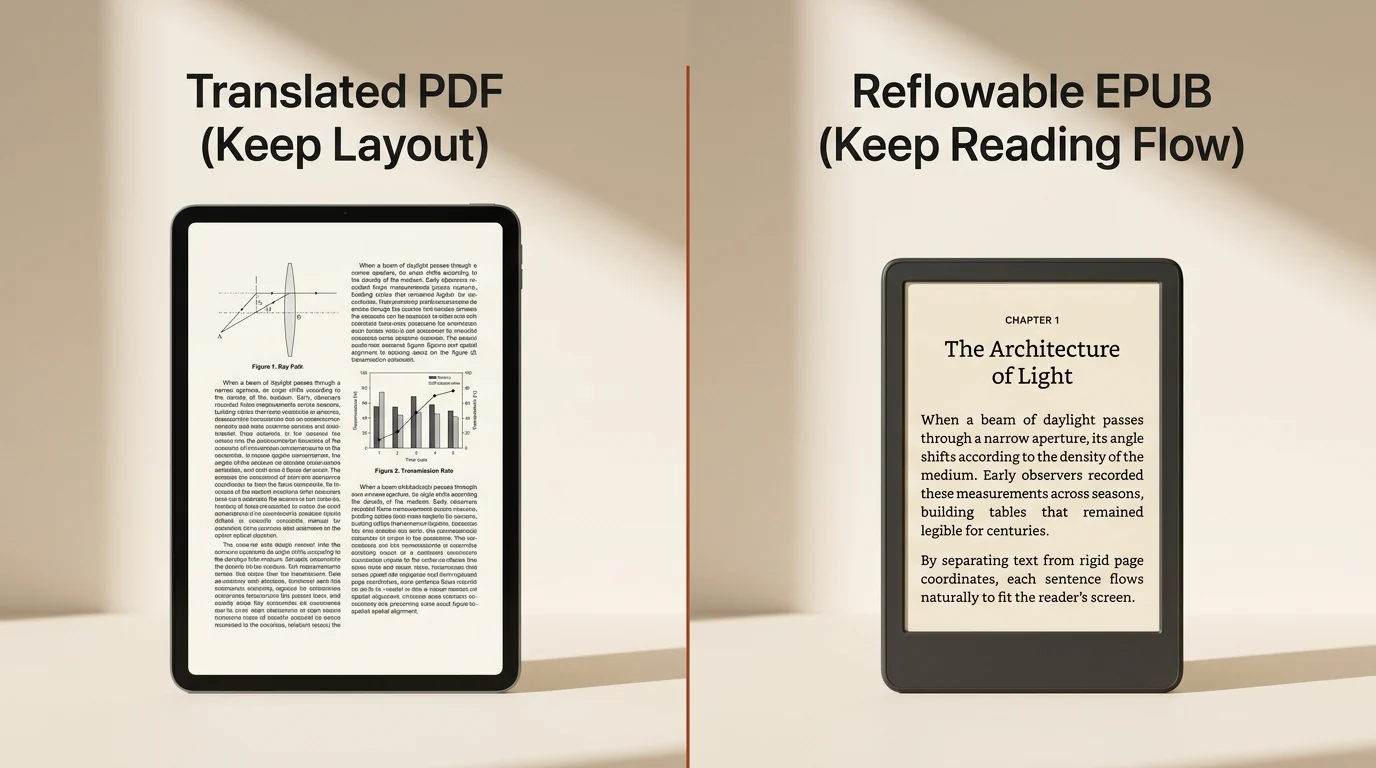
| Papers, technical manuals, and illustrated textbooks packed with charts, circuit diagrams, or spatial callouts, read on desktop or tablet | Translated PDF | Preserving the exact spatial link between prose and figures saves constant back-and-forth flipping. |
| Text-heavy scanned books, novels, and monographs read on phones or Kindle | EPUB (Translated or Bilingual) | Fixed-canvas PDFs force pinch-zooming and horizontal panning on small screens; reflowable EPUB lets you resize text freely (see Scanned PDF to EPUB Guide). |
| Research papers you want to annotate, edit, or feed to AI | Markdown | Clean editable text plus extracted image assets fit straight into note tools and scripts (see PDF to Markdown Guide). |
You can also browse real original-vs-output book and paper samples in the Conversion Examples Library to see how layouts similar to yours behave.
6. Four Things to Spot-Check After Downloading a Translated PDF
Before sharing or relying on any layout-preserving translated PDF, inspect your 2 to 3 densest pages (for step-by-step instructions and a pure-image scan sample, see How to Translate a Scanned PDF; current per-page rates are on the Pricing page):
- Paragraphs that expand sharply in length: Especially when translating English into German, French, or Spanish, check paragraph endings for minimum-size fallback or slight edge overflow.
- Column transitions and figure edges: Read the last line of the left column into the top of the right column, and verify captions near diagrams are unobstructed.
- Inline formulas and numeric units: Confirm signs, subscripts, superscripts, and units remained intact, especially where complex fractions fell back to plain text.
- Labels inside illustrations and textured backgrounds: Check whether text baked inside figures requires glancing at the original page, and confirm erasure patches over shaded backgrounds remain legible.