When developers and readers discover the MIT-licensed PDF Craft repository, the first practical question is almost always: Should I install the open-source library myself for free, or just use the hosted service at pdfcraft.ai?
The honest answer depends on your hardware, privacy constraints, engineering time, and monthly page volume. Open-source software is free to install, not free of setup and compute overhead; meanwhile, pay-as-you-go cloud conversion often costs less than people assume.
1. Three Ways to Run PDF Craft
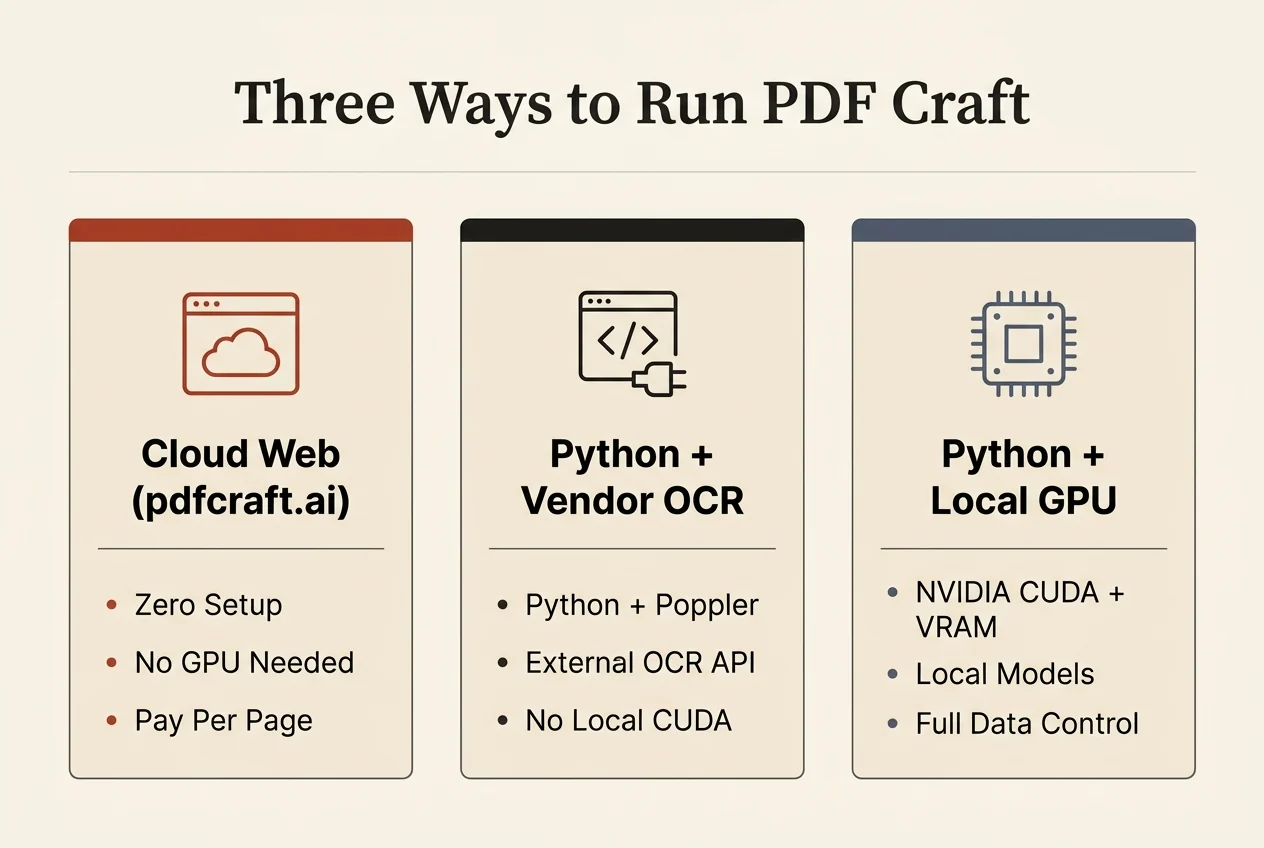
PDF Craft actually offers three distinct paths rather than a binary choice:
| Dimension | Option 1: Cloud Web (pdfcraft.ai) | Option 2: Open Source + Remote Vendor OCR | Option 3: Open Source + Local NVIDIA GPU |
|---|---|---|---|
| What you install | Browser only (or call Cloud API / MCP) | Python 3.11–3.13, Poppler, pip install pdf-craft | All of Option 2 + pdf-craft[local], NVIDIA drivers, matching CUDA PyTorch, local model weights |
| Extra dependencies for Translated PDF writeback | None | Ghostscript, PySide6/Qt, local fonts (plus Matplotlib & TeX latex for vector inline math) | Same as Option 2 |
| Local GPU requirement | None | None | CUDA-capable NVIDIA GPU with sufficient VRAM (Macs and CPU-only machines cannot run local CUDA mode) |
| OCR backend flexibility | Managed in cloud | Connect DeepSeek OCR, DeepSeek OCR 2, or Baidu Unlimited OCR endpoints (check the OCR backend guide for your installed release) | Run DeepSeek OCR / OCR 2 or Unlimited OCR locally |
| Data flow | Uploaded to hosted conversion service | Pages sent to your chosen third-party OCR / LLM API | OCR stays completely offline on your machine (optional remote LLMs for translation, TOC analysis, or metadata extraction still send text to that service) |
| Best fit | Everyday readers, occasional books, teams avoiding ops | Developers embedding Python workflows without owning GPUs | Teams with existing NVIDIA GPUs, strict offline compliance, or high monthly volume |
2. Running the Real Numbers: What Does a 200-Page Book Cost?
Based on the published pay-as-you-go rates on the Pricing & Recharge page (new accounts start with a $1 bonus, with no monthly subscription and on-demand top-ups—check the recharge page for currently available top-up amounts):
- Standard PDF conversion (Markdown or EPUB): $0.30 per 100 pages
- Refined PDF conversion (with footnote extraction and JEV / LLM refinement): $1.10 per 100 pages
- PDF translation add-on (added to standard or refined): +$0.30 per 100 pages
- EPUB whole-book translation: $0.11 per 10,000 source words ($1.10 per 100,000 words)
Here is what common jobs actually cost in the cloud versus self-hosting effort:
| Typical Task | Hosted Pay-As-You-Go Cost | Self-Hosted Overhead to Weigh |
|---|---|---|
| 200-page text-heavy scanned book to EPUB (standard) | $0.60 | Installing Python + Poppler + provisioning OCR API credentials or CUDA stack (typically 30 minutes to several hours) |
| 200-page scanned book to translated EPUB or PDF (standard + translate) | $1.20 | Managing separate OCR and LLM API accounts, plus Ghostscript and fonts for PDF writeback |
| 200-page footnote-heavy academic book (refined + translate) | $2.80 | Configuring JEV + LLM refinement pipeline, concurrency limits, and retry policies |
| 100,000-word foreign EPUB to translated or bilingual EPUB | $1.10 | Setting up an LLM API key, billing limits, and running scripts locally |
If you convert a dozen books a year or process research papers occasionally, spending a couple of dollars on-demand almost always beats maintaining Poppler, CUDA wheels, and multiple vendor keys.
3. When Self-Hosting Open-Source pdf-craft Clearly Wins
Self-hosting makes strong sense whenever any of the following applies:
- Strict offline or air-gapped privacy: Confidential legal filings, internal reports, or regulated records that cannot leave your network. Using
pip install "pdf-craft[local]"withlocal_only=True, pre-cached OCR weights, and an internal LLM keeps the entire pipeline inside your perimeter. - You already own idle NVIDIA GPU servers and process thousands of pages monthly: Once GPU hardware is already paid for, local inference lowers marginal per-page cost at scale.
- You want direct programmatic control over
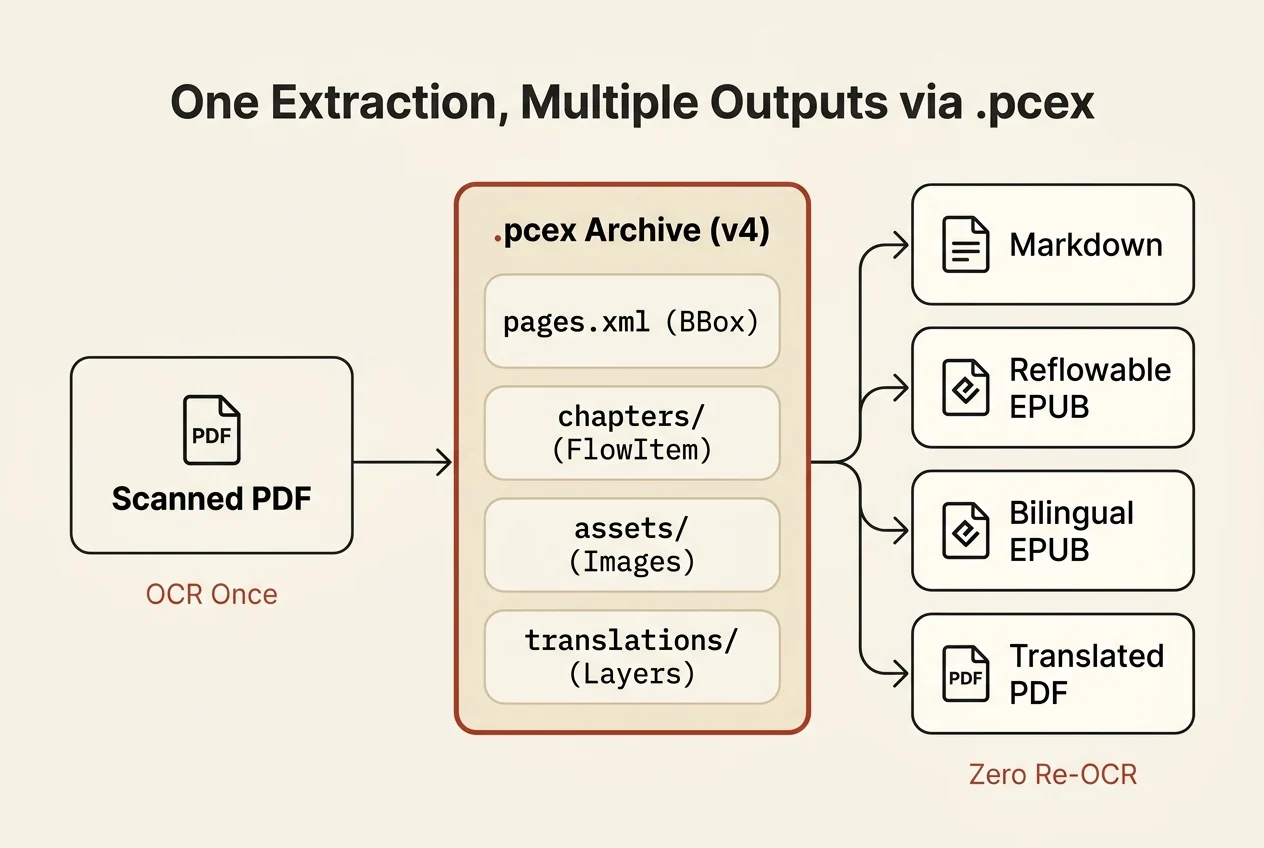
.pcexor layout: Consuming liveon_body/on_footnotestreaming callbacks, stacking multiple custom translation layers onto one.pcexarchive, or tuningPDFPatcherfont families, size limits, and erasure padding (see Inside.pcexand Streaming Extraction). - You want Python automation without owning a GPU: Use standard
pip install pdf-craftwith a remote vendor OCR endpoint, or skip local dependencies altogether by calling the hosted REST API (see Convert PDF to Markdown with Python API).
4. Three Common Setup Pitfalls Before You Self-Host
If you decide to deploy locally, checking these three items first saves hours of debugging:
- Verify Python version and Poppler upfront:
pdf-craftrequires Python 3.11 through 3.13. Both local and vendor OCR require Poppler installed on your system (includinglibpoppler-glib8on Linux) withpdfinfo -vworking in your shell. - Do not install
[local]on a Mac or CPU-only laptop: Local OCR requires a CUDA-capable NVIDIA GPU. On macOS or standard laptops, stick topip install pdf-craftwith vendor OCR or use the cloud web app. - Translated PDF writeback needs more system tools than Markdown or EPUB: Beyond Poppler, writeback requires Ghostscript and suitable local fonts. Rendering inline equations as vector PDF graphics also requires Matplotlib and system
latexinPATH(otherwise equations fall back cleanly to plain text).
5. Bottom-Line Recommendation
- Personal reading, occasional papers, or no NVIDIA GPU: Start with PDF Craft Online using your trial credits on a few hard sample pages first.
- Automated code workflows without GPU ops: Use the Cloud Python API or standard
pip install pdf-craftplus vendor OCR. - Existing NVIDIA GPUs plus strict offline privacy or high-volume customization: Clone
oomol-lab/pdf-craftand deploy locally.