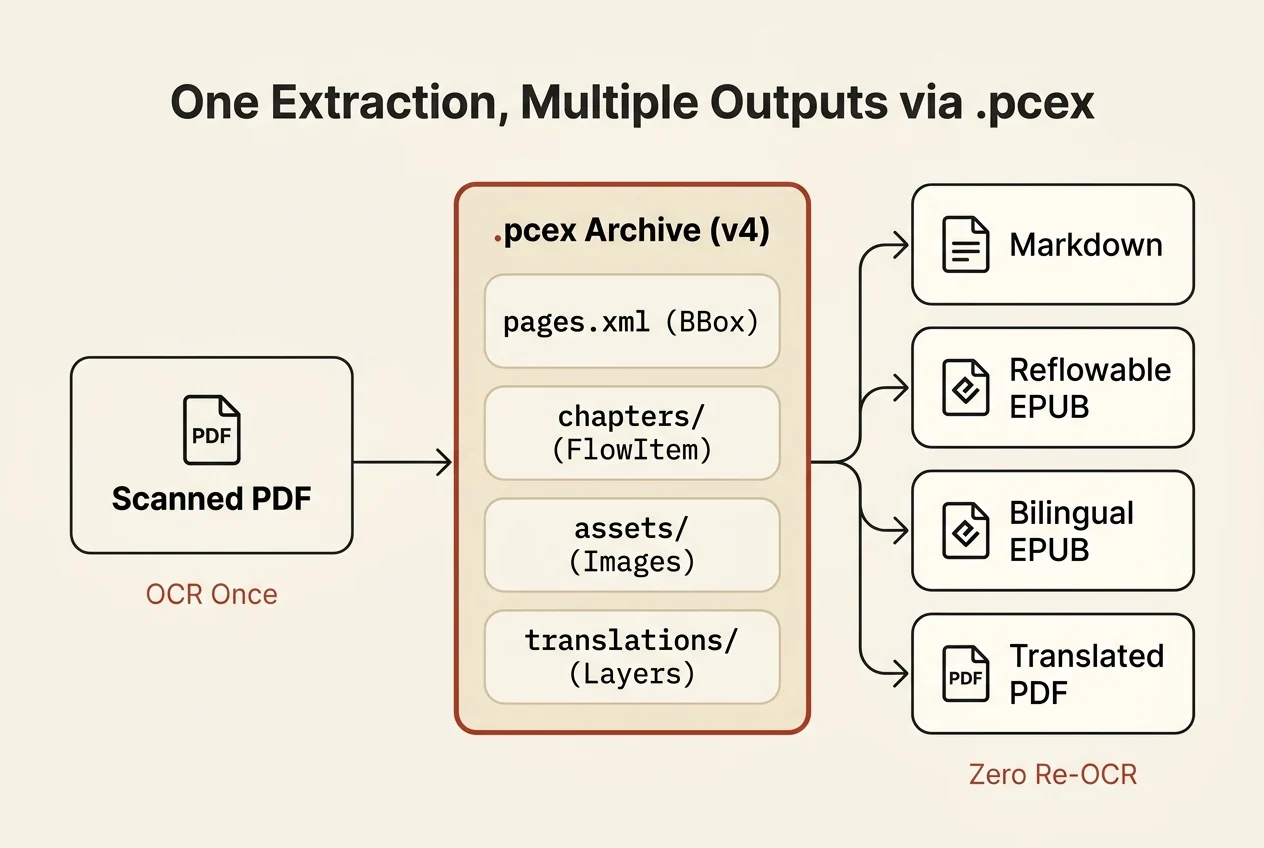
If you only need text from a single receipt or screenshot, plain page-in, text-out OCR works fine. Once you process a 200-page scanned book, a multi-column academic paper, or a document you want in multiple formats and languages, single-page OCR hits two immediate walls:
- Paying the most expensive step over and over: You convert a book to Markdown for notes, later decide you want a Kindle EPUB or a bilingual translation, and end up running OCR from scratch every time.
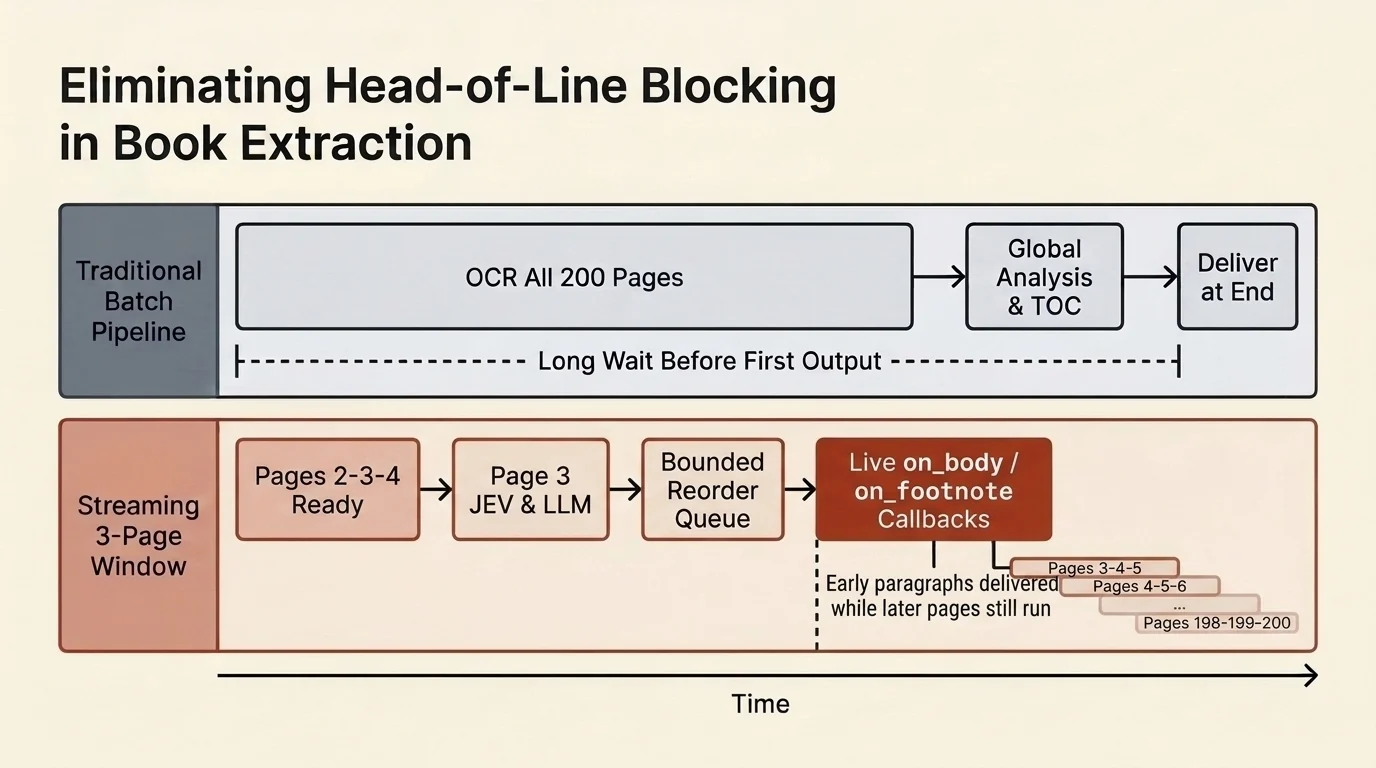
- Black-box waiting: Nothing appears until page 200 finishes OCR, full-book table of contents analysis completes, and final packaging runs. A single slow or broken page stalls the entire book.
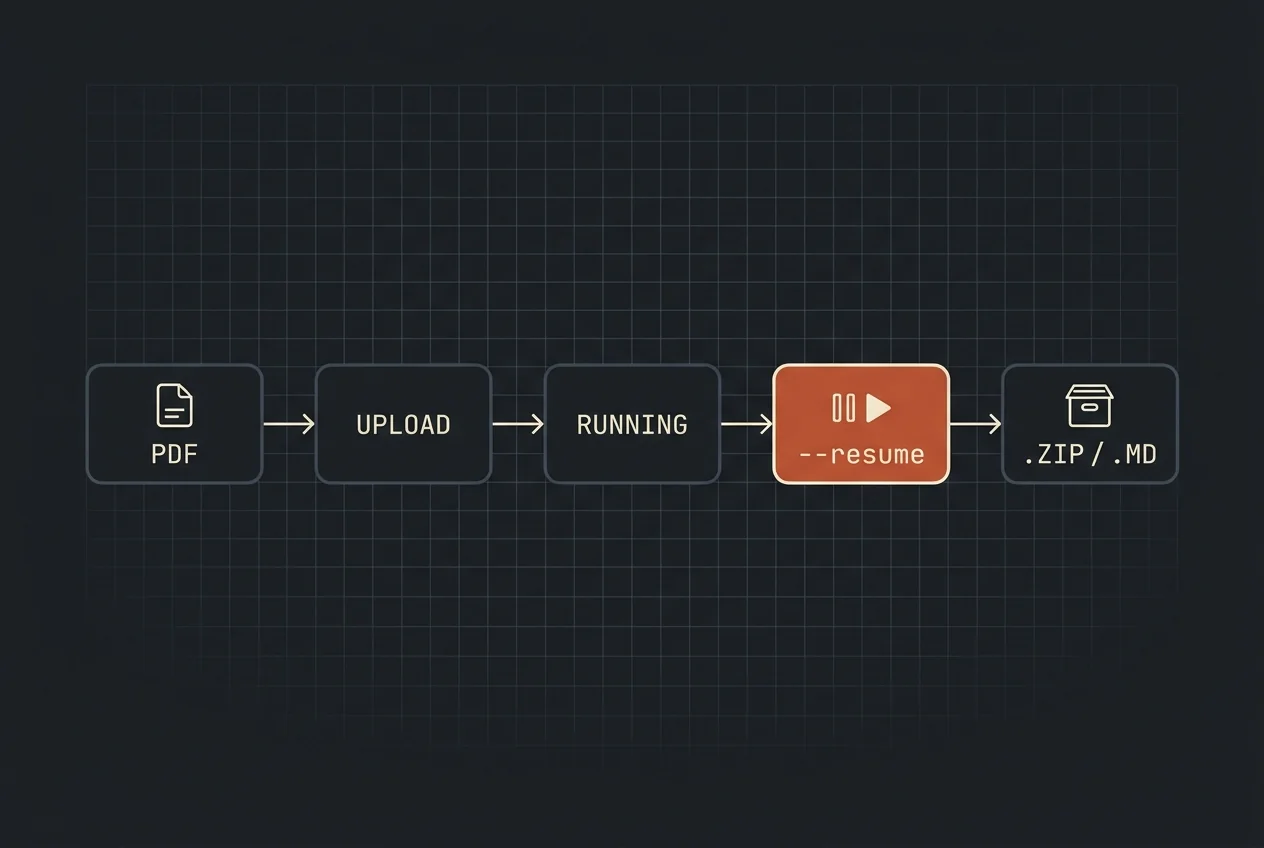
The open-source PDF Craft engine solves both problems with two architectural choices: a reusable intermediate archive called .pcex, and a streaming extraction pipeline designed to remove whole-book barriers.
1. Why Insert .pcex Between OCR and Final Output Formats?
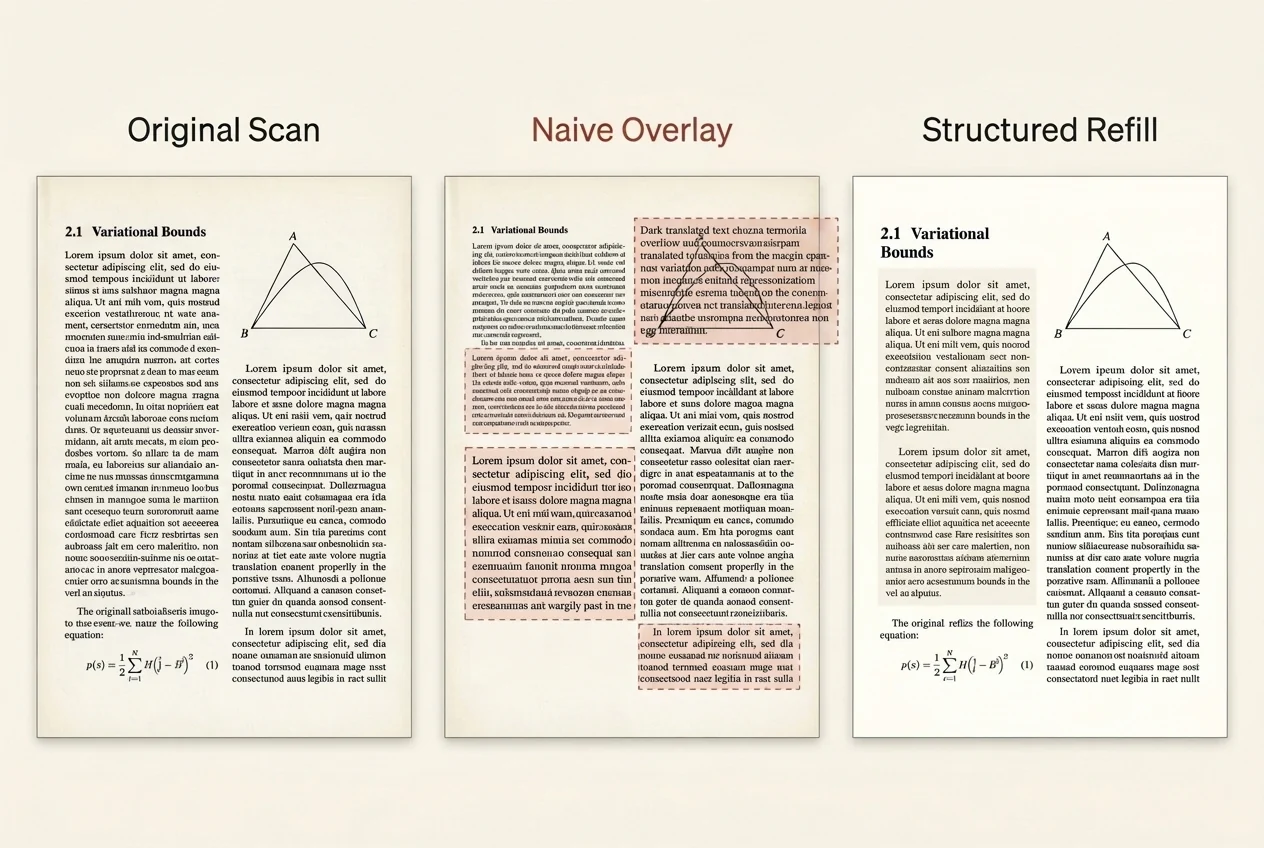
Markdown and EPUB are presentation formats. By design, they discard geometric and structural facts from the source PDF:
- Plain Markdown drops the page index and pixel bounding box (
bbox) of every paragraph, making it impossible to write a translation cleanly back onto the original PDF canvas later. - Overwriting source text with a translation directly during conversion destroys your ability to switch between translated-only and bilingual views, or to add a second target language without re-extracting the book.
.pcex (PDFCraftExtraction, stored as a standard ZIP archive) sits between the OCR frontend and every downstream renderer or translator, preserving durable document structure without bloating itself with raw OCR caches or debug plots:
book.pcex
├── manifest.json          # Format version, producer, and book metadata
├── pages.xml              # Source page pixel dimensions, DPI, and coordinate space
├── chapters/              # FlowItem chapters with footnotes and source PDF bbox maps
├── assets/                # Content-hashed cropped images, tables, and formulas
├── toc.xml / cover.png    # Optional hierarchical table of contents and cover
├── furnitures.xml         # Optional page headers, footers, and page number patterns
└── translations/          # v4 stackable translation layers isolated by unique ID
This separation yields three practical advantages:
- OCR once, render many times: Once
extract_pdf()writesbook.pcex, you can move that archive across machines and render Markdown, EPUB, or runtranslate_extraction()to attach a new language layer with zero repeated OCR (note that.pcexdoes not bundle the source PDF itself, so keep the matching original PDF alongside the archive whenever you plan to patch a translated PDF). - Logical reading flow preserved alongside physical coordinates:
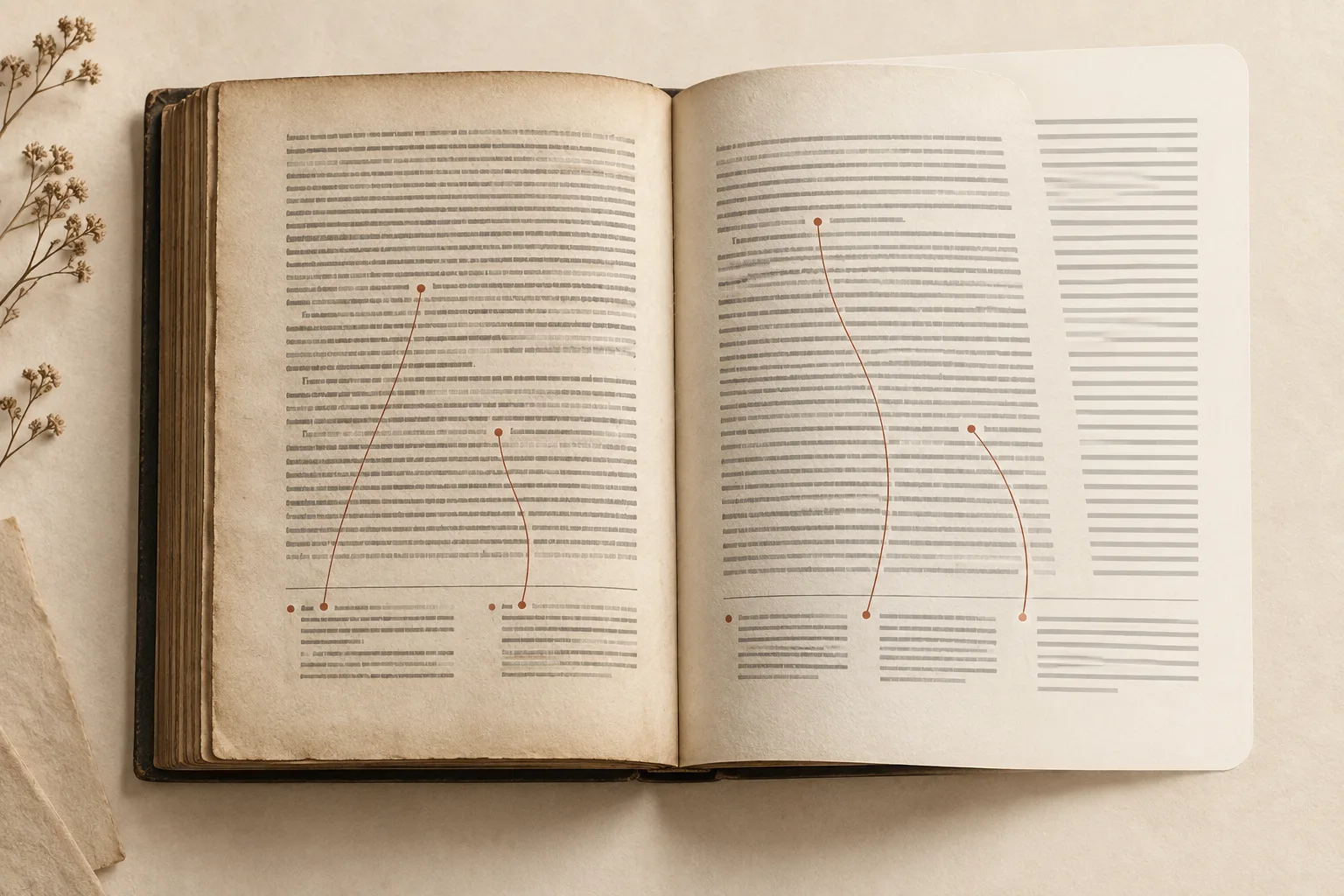
.pcexv3 models chapters as<flow>sequences where a singleTextFlowItemrepresents a logical paragraph even when an illustration splits it on the page, keeping everypage_indexandbboxintact. Markdown and EPUB render clean block-order reading flows, while PDF writeback uses those exact coordinates to refill the original pages. - Non-destructive translation layers: In v4,
translations/holds zero or more replacement-only translation layers keyed by ID alongsidecoverage.xml. Choosing source-only, translated-only, or bilingual rendering happens at render time without mutating the source extraction.
2. Eliminating Whole-Book Blocking With a Three-Page Streaming Window
Even with clean reuse, waiting 20 minutes staring at a spinner on a long book feels terrible compared to watching finished paragraphs appear as pages complete.
Streaming a scanned book is much harder than emitting raw OCR strings page by page:
- Concurrent OCR workers finish out of order (pages 2, 3, and 4 often finish while page 1 is still running).
- Paragraphs and footnotes routinely cross page breaks.
- Footnote refinement (JEV + LLM) needs adjacent page context to verify cross-page continuations.
PDF Craft's streaming pipeline relies on four deliberate engineering trade-offs:
1. Fixed Three-Page Primary Windows Prevent Blocking During Refinement Scheduling
Completed OCR pages write immutable primary evidence to disk immediately without waiting for page 1 onward to fill sequentially. As soon as pages 2, 3, and 4 arrive, page 3's JEV screening and optional LLM refinement can execute right away (ordered paragraph delivery still waits on page 1 inside the downstream reorder queue).
2. Neighbor Pages Stay Immutable Snapshots
One crucial rule keeps concurrency deterministic: a page's LLM refinement prompt sees only its own JEV score; adjacent pages supply immutable primary snapshots, never neighbor scores or neighbor refined outputs.
Waiting on an earlier page's refinement would serialize the whole book again and make prompts vary depending on network timing, breaking caching and reproducibility. Giving up marginal cross-page score sharing buys independent scheduling, identical prompts for identical inputs, and low time-to-first-content.
3. Out-of-Order Execution, In-Order Assembly, Immediate Delivery
Page tasks finish concurrently out of order, then flow into a bounded reorder queue that stitches cross-page paragraphs and footnote definitions in original page order. The moment a paragraph or footnote closes at a semantic boundary, it fires through on_body or on_footnote callbacks while completed chunks spool to disk instead of keeping the whole book's DOM in RAM.
4. Global Finalization Never Holds Back Preview Streaming (Treat Streams as Provisional)
Table of contents reorganization, front-page metadata merging, and final archive packaging still wait on their true dependencies, but they finalize the archive without withholding already-closed preview paragraphs. Under an error policy that permits analysis recovery, a single-page validation failure rolls back transactionally to that page's primary output instead of discarding refined work across the rest of the book.
Two caveats matter when building UIs on top of callbacks: first, streamed output is a provisional preview—final TOC processing can still exclude printed directory pages or reorganize chapters after callbacks fire without replaying those edits; second, receiving callback items does not confirm extraction succeeded, because the job can still be canceled or fail final validation before the archive is published. Always treat the extraction operation's completion result as the success signal and reconcile the UI against the finished archive.
3. Where This Helps You in Practice
- On the web app: When you upload a scanned book at PDF Craft, this pipeline keeps cross-page sentences stitched cleanly, preserves footnote links, and powers Markdown, EPUB, and layout-preserving translated PDFs from the same extraction core (see real finished books in the Conversion Examples Library).
- In custom developer pipelines: When embedding the Python library,
extract_pdf("book.pdf", "book.pcex")gives you a durable asset you can render into Markdown for RAG, EPUB for readers, or preview live in a UI viaon_bodycallbacks before reconciling with the published archive once extraction succeeds (or call the hosted service directly with zero GPU setup via the Python API guide).